Functions Permissions
The Functions group controls access to each of the
following special functions in the Needles program. Full access to these
Needles functions will be granted when the Enabled
check box is selected. Select the Set
All option above the Enabled column to give full access or no access
to all functions.
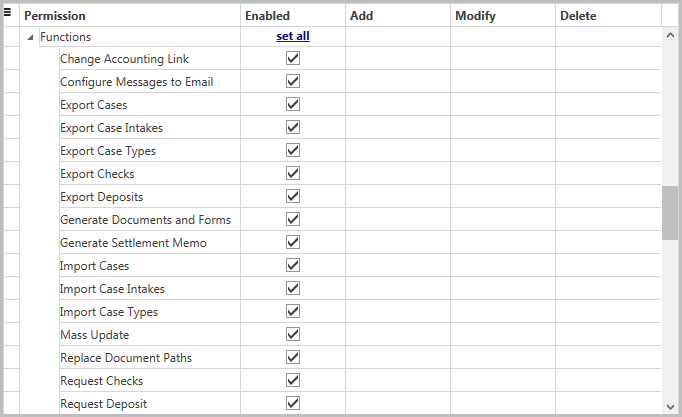
Setting all options as shown above will grant the following permissions:
- Access to Change
Accounting Link function (Enabled)
- Access to Configure Messages to Email function
(Enabled)
- Access to Export Cases
function (Enabled)
- Access to Export
Case Intakes function (Enabled)
- Access to Export
Case Types function (Enabled)
- Access to Export
Checks function (Enabled)
- Access to Export
Deposits function (Enabled)
- Access to Generate
Documents and Forms function
(Enabled)
- Access to Generate Settlement Memos function
(Enabled)
- Access to Import
Cases function (Enabled)
- Access to Import
Intakes function (Enabled)
- Access to Import
Case Types function (Enabled)
- Access to Mass
Update function (Enabled)
- Access to Replace
Document Paths function (Enabled)
- Access to Request
Checks function (Enabled)
- Access to Request
Deposits function (Enabled)
The permission for the Delete Cases function can be found
with the permissions for the Case
Tab. Select the Delete option for the Case Tab to access the Delete
Cases utility.