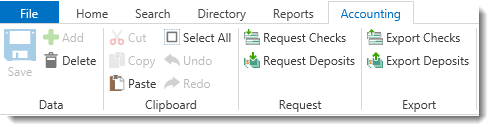
Checks that have been received relating to a case can be entered as deposits into Needles. When QuickBooks SDK has been configured in the Interfaces tab, the Accounting ribbon will display with options for requesting and exporting deposits.
The QuickBooks SDK bidirectional interface communicates directly with your QuickBooks database. Once you have completed the setup of the SDK interface and have linked parties to customers and providers to vendors, the deposit request information is sent to QuickBooks upon completion of the export process. QuickBooks will then send the check number back to Needles once the deposit has been printed.
To request a deposit, staff members select or create Value items and Needles stores the data in a holding file. At any time, the bookkeeper may access the holding file and export all or only selected deposit requests. Needles will then create the appropriate Value item in the case, as well as post the deposit to the specified QuickBooks account after exporting. In this manner, many users may request deposits and the bookkeeper can review the requested deposits to determine which deposits to export to QuickBooks.