Searching in Needles is necessary to access cases, parties or providers in the Needles system. Needles searches by Name information to locate parties or providers using name criteria, such as the name, social security number, address information, or date of birth to retrieve results in which the party or provider is involved. Alternatively, you can retrieve a case by entering case criteria, such as the date of the incident, date opened, or Needles case number.
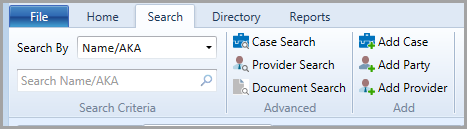
To access the Search function, click on the Search ribbon tab in Needles,
Search is the third ribbon tab option in Needles. In addition to displaying the basic Search criteria options, Advanced Search options are available allowing for additional criteria to be applied to the search. Because searching is the very first thing that should be performed as a conflicts check before adding any new case, parties or providers into the system, the Add Case, Add Party and Add Provider buttons are located on the Search ribbon.