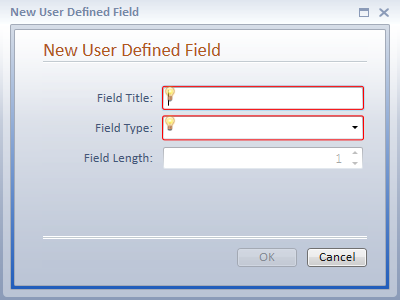
New User Defined Fields can be created in either the Fields Directories or the Screen Layout Designer Window. The Intake Tab and Status Tab are designed using fields that exist on other tabs in the case type, and therefore, do not allow a new user defined field to be created in the Design Layout Screen.
To create a new user defined field in a User Defined Setup Tab:
Keep in mind that the field title is the label that the user will see when entering information. It should be clear and concise so that the user will know exactly what information should be entered into this field. When you save a new user-defined field, Needles automatically checks for exact match duplication; however, it is still possible to duplicate a field by abbreviation, or varying the wording or spelling slightly. Duplicative fields can affect the accuracy of Needles reports when reporting across case/matter types and can also confuse the user. It is, therefore, important to review the entire list carefully before adding a new field to the list to avoid duplicative fields. When you add a new field to the user-defined screen, it is automatically reflected in all current and new cases of that type.
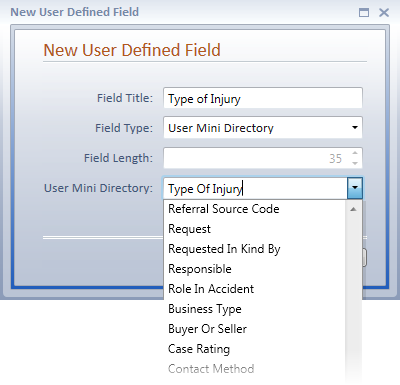
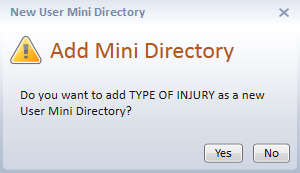
If the Cancel button is clicked on the New User Defined Field Window, the new User Mini Directory will not be created.
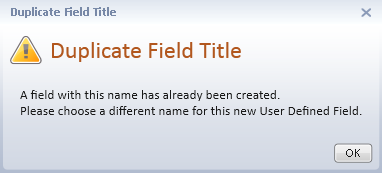
If a duplicate field title is detected, you will see the following warning message and the entered text will be cleared from the Field Title field.
The new user defined field will display on the Design Layout Screen. If a new User Mini Directory was created when creating the new field, it will have been added to the User Mini Directory. The entries that should display for the new field's dropdown list should be entered in the appropriate User Mini Directory.
User Mini Directories can be added in advance through the User Mini Directory accessed by clicking the User Mini Directories button on the Directory ribbon. They will then appear in the User Mini Directory dropdown when creating a new user mini directory field.
If the new user defined field is removed from the Design Layout Screen, it will display in the Available Items Pane for use on the current Design Layout Screen or on any other Case Folder Tab in any Case Type. A user defined field can only be fully deleted from the Fields Directories when it is not in use on the Design Layout Screen of any User Defined Tab.