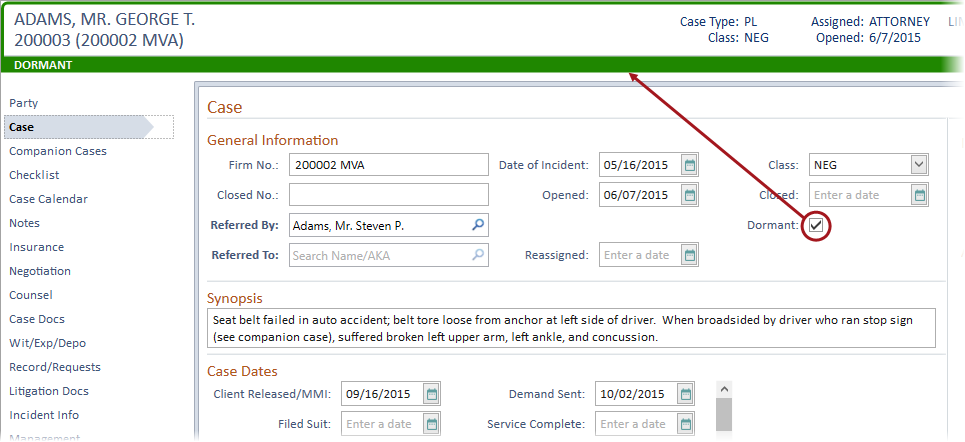
Information about a case is entered in the tab marked “Case” on the case folder. This includes information such as the Case Open Date, Closed Date, Date of Incident, Referred By and Referred To, pertinent Case Dates, Case Title, and Docket Number. The Case Tab is also where staff are assigned to the case in Needles.
If you have just entered and saved party information, the Case tab will automatically display. If you are not already in the case, the case can be accessed using the multiple methods described in the Accessing an Existing Case topic.
To access the Case tab from within the case:
Complete the case information fields:
The alternate case number is optional and is determined by your firm’s case numbering system. It is often unnecessary to maintain an alternate case numbering system. You can change the field label for this field to better describe the data you wish entered.
A second alternate case number field is available to track additional numbers.
The field labels for the Alternate Case Number(s) and Date of Incident fields are customizable in the Case/Matter Type Directory. For example, your case tab may display ”File No.” and ”Date of Accident” as the first two fields.
Class codes are used to track or classify cases into subcategories that your firm finds meaningful.
The date opened is used in reports that filter by case open date. Date Opened is also used as a reference date for checklist items.
To re-open a closed case, enter 00/00/0000 in the Closed field.
If a case file is not active, but not yet closed, it should be marked as dormant. The dormant field is used as part of the criteria for several reports, allowing you to monitor these cases, yet separate them from your active files.
The Referred By field is a searchable names field allowing for a name to be searched in Needles to select an existing provider or add a new name to your database.
 button.
You may wish to create "dummy” provider entries for such referral sources as "Yellow Pages” or "Television Ad”.
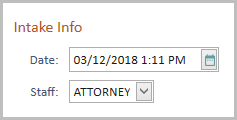
Intake information is automatically entered when you use a Needles Intake Sheet and then make it a case. The information can be added manually or modified.
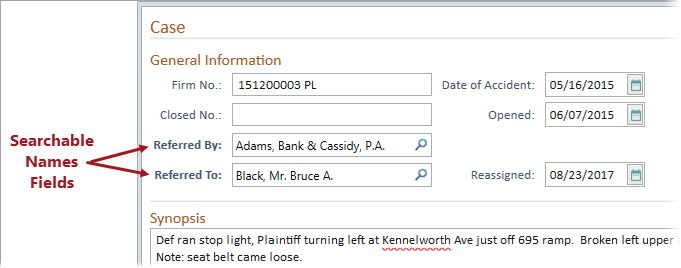
The Referred To fields is a searchable names field allowing for a name to be searched in Needles to select an existing provider or add a new name to your database.
button .The searchable name fields, such as the Referred By and Referred To fields, are indicated by bold field labels.
Checklist items are assigned to staff based on their Staff Role in the case. Staff Roles are defined by case type on the Staff Assignments tab in the Case Type/Matter Directory. Default staff assignments can also be set for each Staff Role per case type which will auto-populate the staff assignments on the Case tab of a case. When not using default staff assignments or to change a staff assignment,
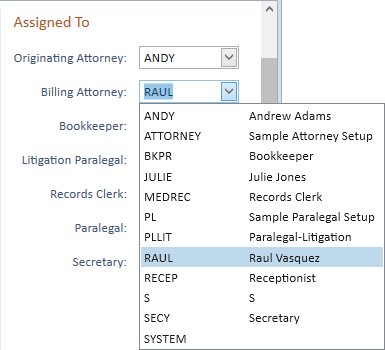
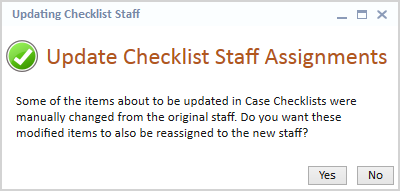
When staff is changed in the “assigned to” field, the corresponding “Open” checklist items are reassigned to the newly entered staff member. Items marked “Done” are unaffected. When the changing the staff assignment in any of the staff slots on the Case Tab (whether you are making the change in one case or using the update multiple cases feature to change it in many cases at one time), you will be prompted whether to also effect that same staff change on any checklist items that were manually changed from the original staff.
Case Dates are defined by case type in the Case/Matter Type Directory. The case dates serve several purposes. They act as reference dates for the checklist, potentially triggering tasks. They can be merged into documents or used in reports. They also act as a quick reference for important dates in the case.
Court is a searchable names field allowing for a name to be searched in Needles to select an existing provider or add a new name to your database.
button.The Judge is a searchable names field allowing for a name to be searched in Needles to select an existing provider or add a new name to your database.
button.Case User Defined fields are created while designing user defined screens or through the Case Fields Directory. Follow firm procedures for entering user defined data.
To save the case information: