Parties are added to cases in Needles either when adding a new case to the system or by adding a party to an existing case. Needles makes a distinction between parties that are persons or individuals, as opposed to a corporation or other entity. In Needles, a Party is either a Person or a Company and different information may be captured for each.
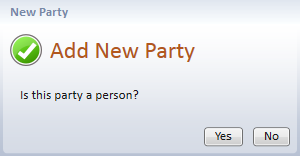
When adding a new party, a message displays asking if the new party is a person or a company.
The Full Name Name Details window for a person is displayed.
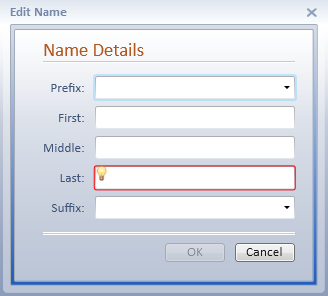
Complete the Name Details fields:
Select the prefix from the dropdown list, or enter the party’s prefix, including punctuation, up to ten characters. For example, ”Mr.”, ”Hon.”, or ”Dr.”.
Enter the party’s first name, up to 50 characters.
Enter the full middle name, up to 50 characters.
Enter the party’s last name, up to 100 characters.
Select the suffix from the dropdown list, or enter the suffix, if any, including punctuation, up to ten characters. For example, ”Jr.”, ”III”, "M.D.”, or ”Esq.”.
The drop-down lists for prefix and suffix are populated from their respective mini directories. Enter both the prefix and suffix, if applicable, for all names. While you enter all information (for example, “Dr. John C. Smith, M.D.”) in the name fields, merge documents and forms will not address the name as such. They are coded to retrieve specified fields (the letter may be addressed to “John C. Smith, M.D.” and the salutation will read “Dear Dr. Smith”). Settings for the default full name parameter for merging can be found on the Word Processor tab under the Firm Preferences.
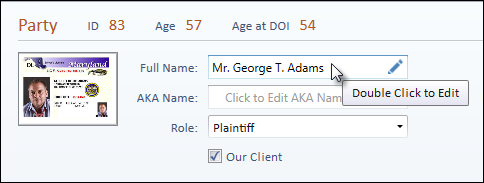
The AKA Name field displays “also known as” information, such as a nickname, maiden name, or other alias. The AKA name is also included in the name search.
To edit the AKA Name field, double-click into the field or click on the pencil icon at the end of the field.
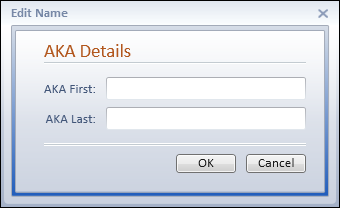
Complete the AKA Details fields:
Enter the AKA First name, if applicable.
Once the AKA Details are entered, the information displays in the AKA Name field on the Party tab.
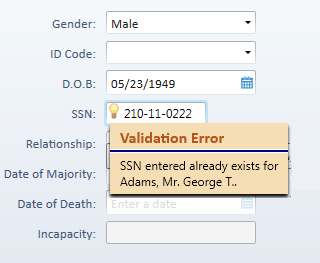
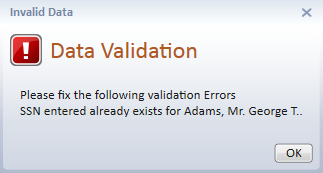
Enter the nine-digit Social Security Number. Dashes are automatically displayed. If the Social Security Number is already being used by another person in Needles, a validation warning icon will display with a message notifying you that the number is already in use and by whom. This may help identify possible conflicts.
Needles will mask the SSN field so that only the last 4
digits of the Social Security Number will be displayed. In order to view
or enter data in the SSN field, you must have the proper permissions
for the SSN field.
The Minor, Deceased, and Incapacitated fields indicate
information about parties that are not representing their own interests.
Generally, another party (such as a parent, guardian, or personal representative)
is also added as a party to the case. Indicate the person representing
the minor, deceased, or incapacitated party by checking the “Responsible
for another party” check box, and enter their relationship in the
Relationship field.
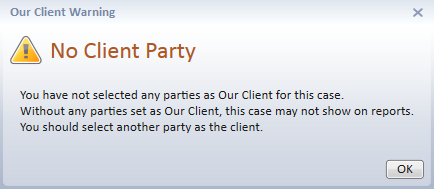
Select the Our Client check box, if applicable. If you do not designate any parties in the case by selecting the Our Client check box and attempt to save the case, you will receive a warning advising you there are no clients in the case.
Your client should be entered as the first party in
each case. Many reports display the first party of each case to identify
the case by party name.
Different Case Status screens can be defined in the Case/Matter Type Directory. You can also designate different Party Roles in the Party Roles mini directory to automatically have the appropriate Status check box selected when a new Party is added to the case.
If using the QuickBooks SDK interface with the option "Prompt to add client to QuickBooks when a new case is created" selected, a prompt to update QuickBooks will display when saving a new party. QuickBooks must be open on your workstation. If using the Juris interface, you will receive an additional prompt asking if you wish to create a new client and matter in Juris. Click on Yes to create the new case in Juris.
To save the person party information:
The party information tab for a company or other organization is displayed.
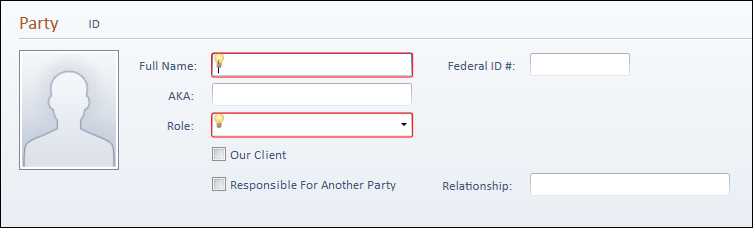
Complete the company party information fields:
The AKA Name field displays “also known as” information, such as a nickname, product name, or other alias. The AKA name is also included in the name search.
Enter an AKA Name, if applicable.
Select the Our Client check box, if applicable. If you do not designate any parties in the case by selecting the Our Client check box and attempt to save the case, you will receive a warning advising you there are no clients in the case.
Your client should be entered as the first party in
each case. Many reports display the first party of each case to identify
the case by party name.
To save the company party information: