Deleting a Provider from an Associations Group
Within the Associations tab of a Provider Folder, you can remove the
current provider or other providers from one or more selected association
groups where the current provider is also a member.
Deleting the
Current Provider from a Group
To remove the current provider from Associations groups,
- Select the Associations
tab in the desired Provider Folder.
- In the Groups Pane, select the
Group Name that you would like to remove, and click the Delete button
 on the Provider ribbon. A confirmation message will display to confirm
the removal.
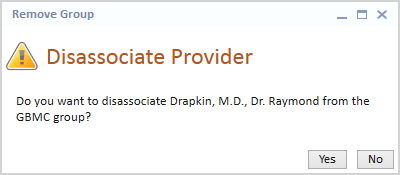
- Click the Yes
button to dissociate the current provider from the selected Associations
group. Click the No button
to cancel the process.
- Click the Save
button to keep your changes. The selected Association Group(s) will
be removed from the Groups grid in the Associations tab for the current
Provider Folder.
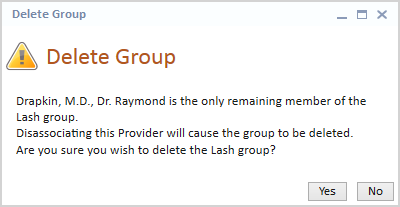
When the Delete button is clicked for an Association
group where the current provider is the only member, the entire Association
group will be deleted from the Provider
Associations Directory. Click the Yes
button to disassociate the current provider and delete the selected group.
The group will be removed from the Groups grid and the Provider Associations
Directory. Click the No button
to cancel the deletion process and keep the current provider as a member
of the selected group.
Deleting Other
Providers from a Group
Other provider members can be removed from an Associations group directly
from the Associations tab of a Provider Folder.
To remove other provider members from an Associations group,
- Select the Associations tab in the desired Provider Folder.
- In the Groups pane, select the desired Group Name. Select
the provider(s) you would like to remove from the Associations group
in the Group Members pane.
- Click the Delete
icon
 above the Group Members
pane.
The Delete icon will be disabled
if the current provider is selected.
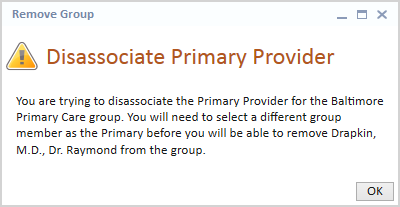
- If the selected provider is also the Primary Provider
in the group, the following message will display explaining that a
provider designated as the Primary cannot be deleted. Click OK and assign another provider in
the group as the Primary in order to delete the selected provider.
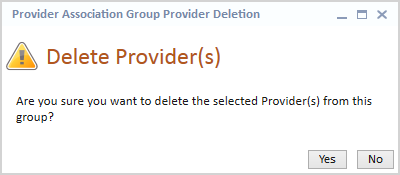
- Click the Yes
button to remove the provider(s) from the selected Associations group.
- Click the Save
button to keep your changes. The selected provider(s) will be removed
from the Group Members pane for the selected Associations group.