Adding a Provider to an Associations Group
Other providers can be added to the list of Association groups where
the current provider is a member. A provider can be a member of multiple
Provider Association groups.
To add a provider to an Association group,
- Select the desired Association group from the Groups
pane on the left of the Associations tab. The list of current members
for the selected group will display in the Group Members Pane on the
right side of the tab.
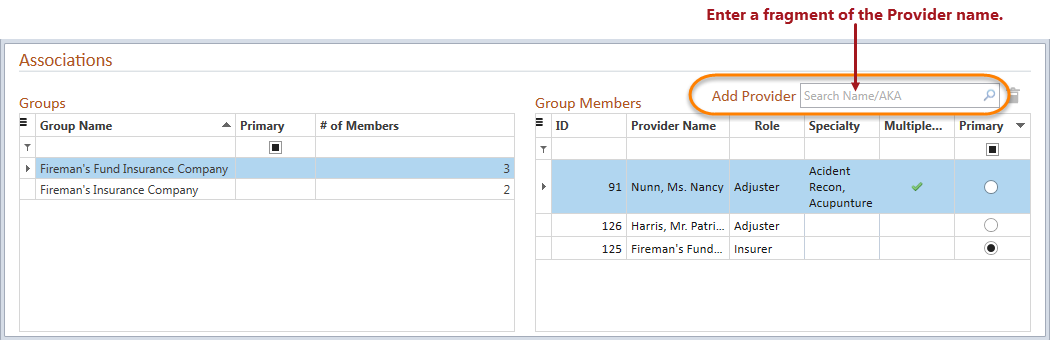
- Enter a fragment of a provider name in the Add Provider
search text field above the Group Members grid, and click the search
icon
 or hit the ENTER
key. The Name Results List will display.
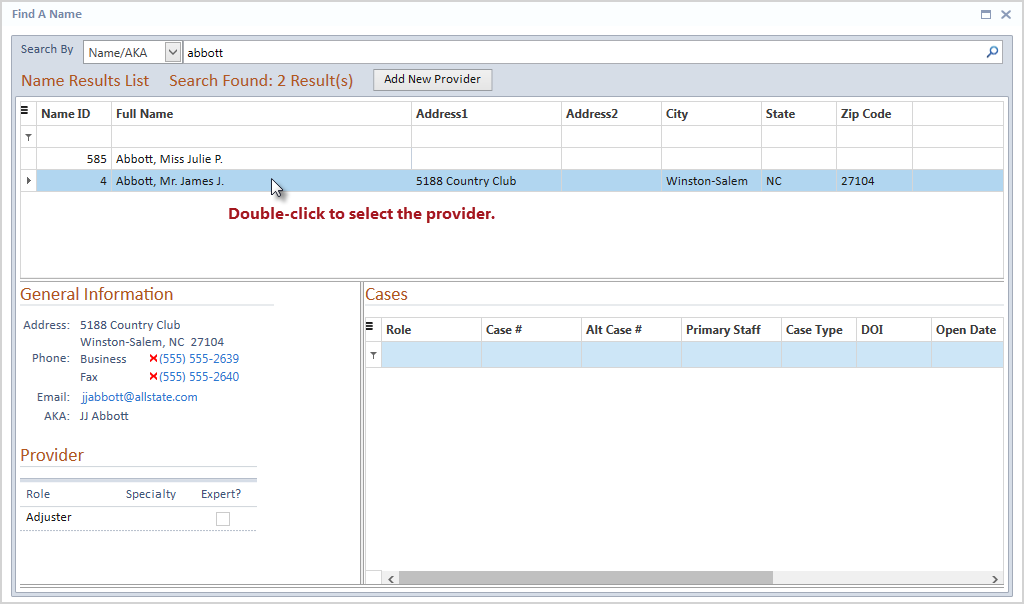
- Double-click the provider you would like to add to the
selected group.
- The selected case will display in the Group Members grid
for the selected Associations group.
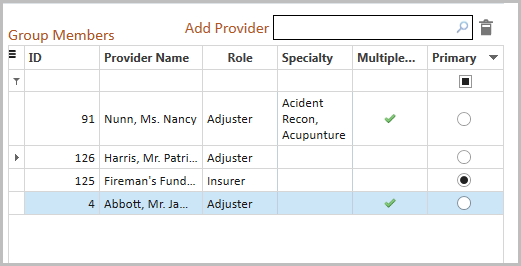
- Change the Primary Provider, if so desired, by clicking
on the radio button in the Primary column of the row of the selected
provider.
- Click the Save
button to keep your changes.
The added provider will be listed as a member in the Provider
Associations Directory for the selected Associations group as well
as on the Associations tab for that provider when changes have been saved.