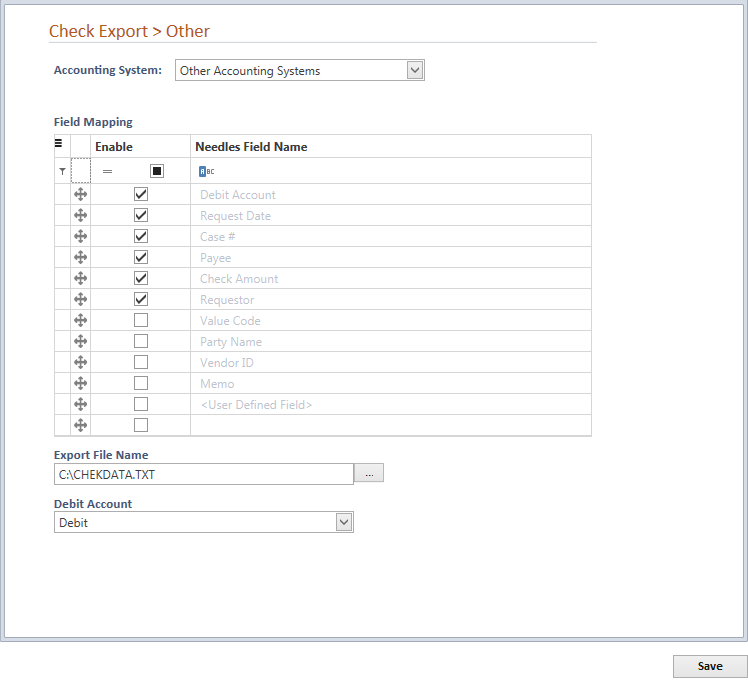
To interface with a system other than QuickBooks or Sage 50, you can use the Other Accounting Systems option. This option allows you to manually map where the Needles fields will be imported into their corresponding accounting system fields. When selecting the Other Accounting System interface option from the dropdown list on the Check Export tab, the following screen will display.
Use the Field Mapping grid to assign the order to each Needle field name using the drag anchor. The specified sequence of fields will export into your accounting system. Selecting the User Defined Field option will create a new row in the grid for you to fill in the name of a user defined field that has been defined for the Value Tab.
Complete the selection of the following options to further tailor how and where data is exported from Needles.
If more than one person is exporting checks, you should designate the path of the exported file to their C:\ drive. This will prevent the individual’s export files from being overwritten by another user.