above
the reports grid. The Companion Groups report will display in a new
tab window within Needles.
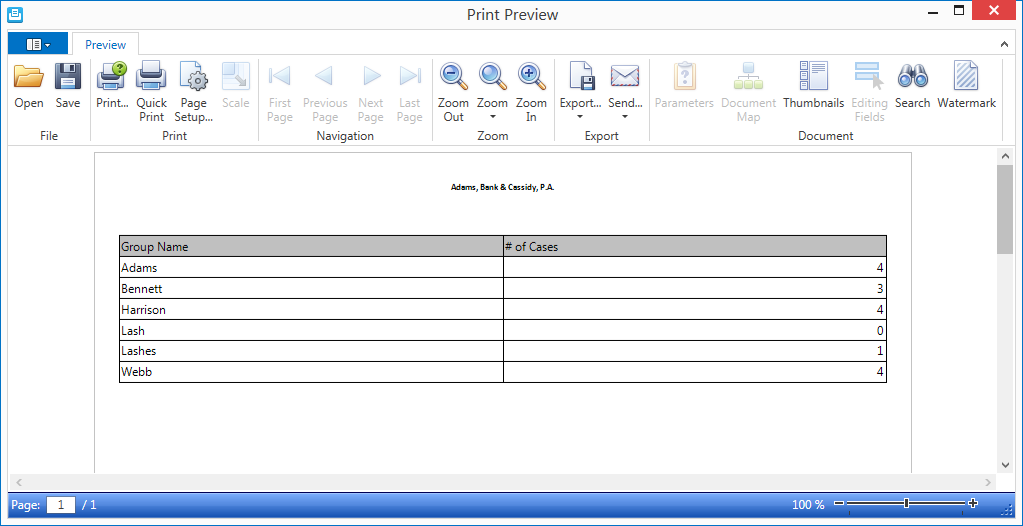
A list of cases attached to Companion Groups can be printed using the Companion Groups report in the Report Library or using one of the options in the Hamburger menu of a grid to print or export the current grid view.
A list of companion cases attached to Companion Groups can be printed using the standard Needles Companion Groups Directory report.
You will need the proper permissions to access the Directory Reports.
To access the Companion Groups Directory report,
above
the reports grid. The Companion Groups report will display in a new
tab window within Needles.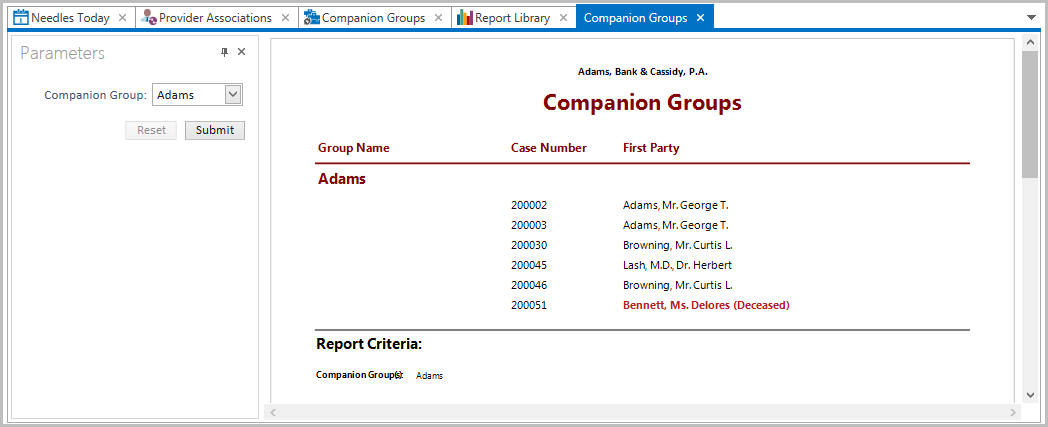
Click the Reset button to reset the fields to the last selections when the Submit button was clicked.
From the Print Preview window click on the appropriate ribbon buttons to search, print, send or export the report.
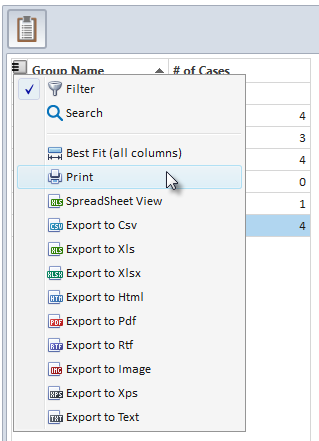
While viewing the list of Companion Groups in the Groups Pane or the
list of case members in the Group Members Pane, the current grid
view can be printed by clicking the Hamburger icon  in the upper left corner of the grid and selecting the Print option from
the menu. Other options include exporting the current grid view in the
desired format.
The columns can be repositioned, however they are default and cannot be removed from the grid.
Printing the grid view will only print the list of the groups or the list of members. To print a list of Companion Groups and the corresponding members, you should use the Companion Groups Directory report in the Report Library.