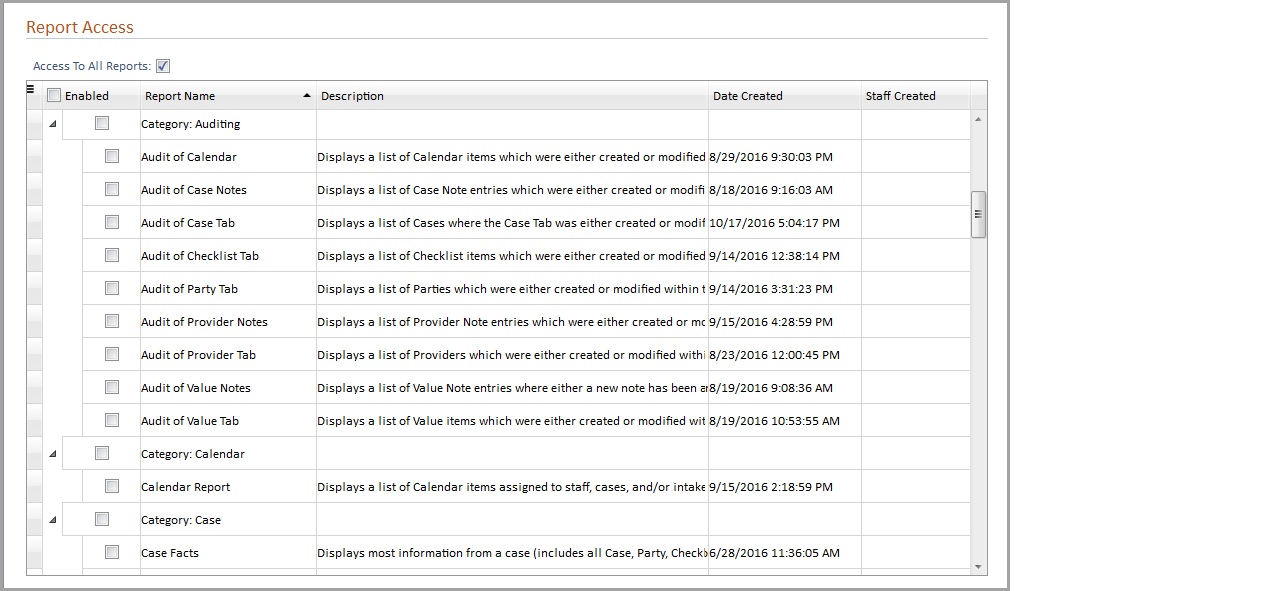
The Report Access tab allows all staff in a permission group access to all reports or only specific reports. The Report Access grid contains the current list of reports available in the system grouped by Report Category from the Report Library. Permission groups for the Needles standard and management reports are included to easily assign permissions to reports that come with the system.
The reports that come standard with Needles 5.0 are read-only. However, they may be opened in the Report Designer, modified and saved as a new report if the user is given the add and modify permissions to User Defined Reports.
While a staff may have full report access, read-only reports created by another user can only be deleted by the staff who created them.
To give access to all reports,
To give access to all reports in a Report Category,
To give access to only specific reports,
All permission group members will only have access to the selected report categories and/or the selected reports in the Report Library. Any reports that have not been enabled will be hidden from view.
When granting access to most of the reports (but not all), clicking the check box next to the Enabled column heading will select all of the reports allowing you to then deselect only the ones to which you want to deny access.
Should you decide to reselect the Access To All Reports check box after report categories or individual reports have been selected in the grid, your individual selections will be retained when the grid becomes read-only.