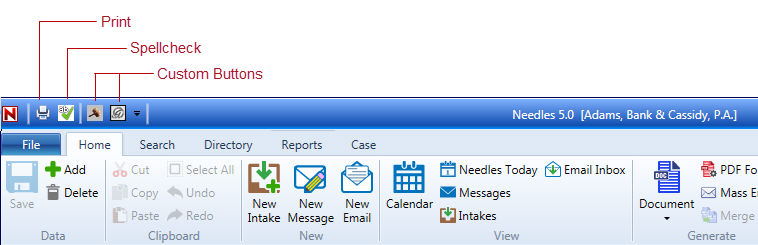
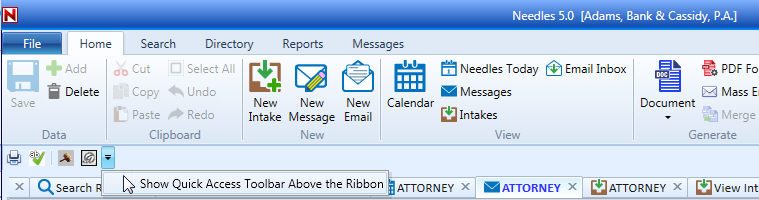
The Quick Access Toolbar is a customizable toolbar that contains a set of additional commands that are independent of the ribbon tab that is currently displayed. You can elect to display the Quick Access Toolbar either above the ribbons or below them. The Print and Spell Check options are included on the toolbar by default and cannot be removed. The Quick Access Toolbar also displays the individual custom buttons defined by the user in their Staff Preferences and any global custom buttons that are specified in the Firm Preferences.
By default the Quick Access Toolbar is displayed above the ribbons.
To change the position of the toolbar,

To return the toolbar to show above the ribbon,
The Quick Access Toolbar will always appear below the ribbon and will not include Custom Buttons when in a Floating Window.