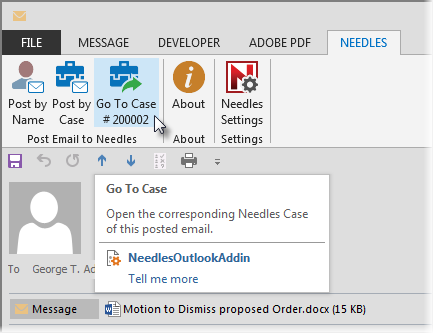
If the email was posted to Needles when it was originally sent, then a Go To Case button or Go To Provider button will be available on the NEEDLES ribbon when viewing the email from the Sent folder or when it is viewed by a recipient within the firm. Clicking on the Go to Case or Go To Provider buttons will open the linked case or provider in Needles.
You always have the option to post a received email to a different case or provider. Keep in mind that the original sender's version will not have the updated link and will still go to the original posted case or provider when clicking on the Go To Case/Provider button of that email. If posting a received email for the first time, you will notice that the Go To Needles button will become available and change to either Go To Case # or Go To Provider, depending upon whether you have posted to a case or provider.